Claude Fable 5 saiu em 9 de junho de 2026, e o preço deixa bem claro para que a Anthropic acha que ele serve: US$ 10 por milhão de tokens de entrada e US$ 50 por milhão de tokens de saída pela Claude API (Anthropic). Isso não é um modelo padrão de autocomplete. É o modelo que você escolhe quando a tarefa é longa, errar sai caro e vale a pena passar com uma ferramenta mais forte.
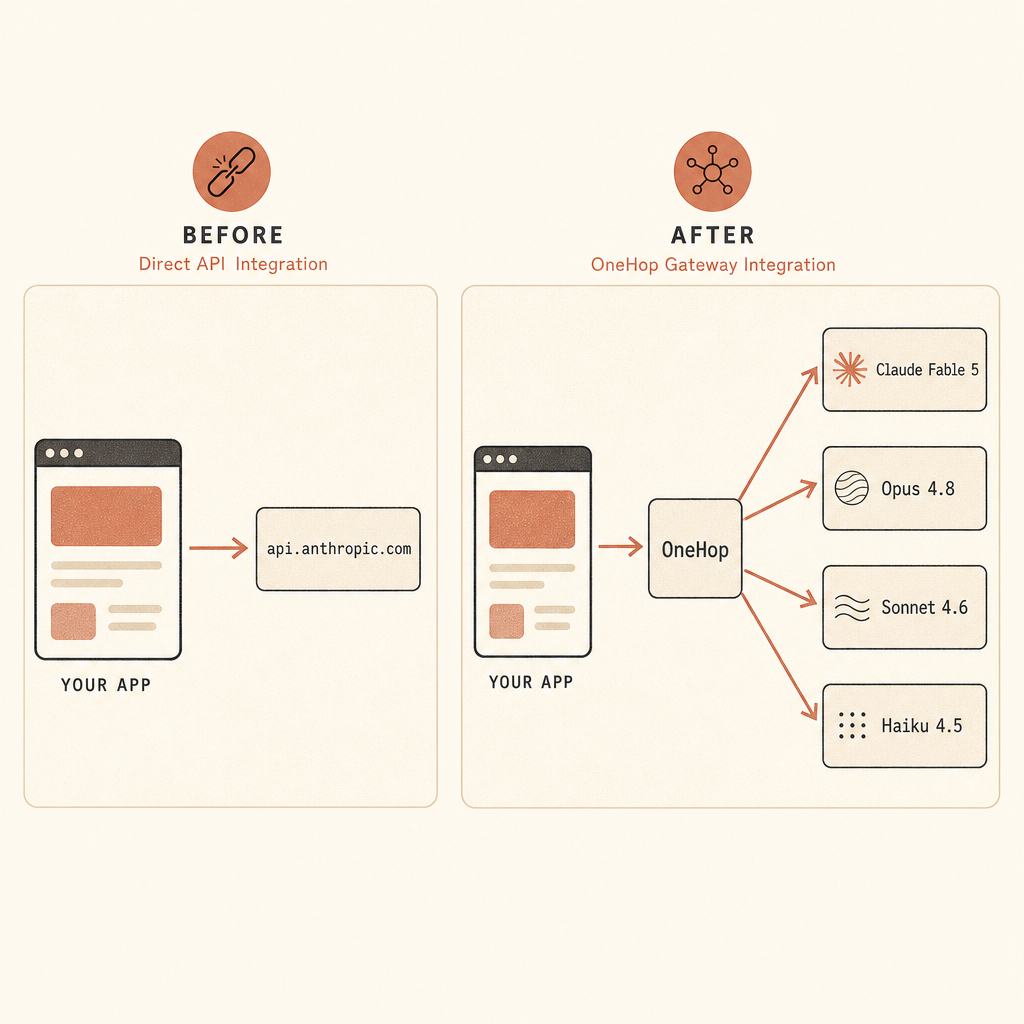
A parte boa: se seu app já usa o Anthropic SDK, você não precisa reescrever sua camada de cliente para testar pela OneHop. Dá para manter client.messages.create(...), manter o formato de mensagens da Anthropic e apontar o SDK para o endpoint compatível com Anthropic da OneHop.
Por que Fable 5 Muda a Conversa Sobre Roteamento
A Anthropic descreve Claude Fable 5 como um modelo “Mythos-class” tornado seguro para uso geral, com capacidades acima de qualquer modelo que ela já tinha disponibilizado amplamente antes (Anthropic). O ID do modelo para a Claude API é claude-fable-5, e a Anthropic diz que ele está disponível pela Claude Platform e por marketplaces de nuvem (Anthropic).
Dois detalhes importam para devs.
Primeiro, Fable 5 tem preço de modelo topo de linha: US$ 10/M de entrada e US$ 50/M de saída, com o desconto de 90% da Anthropic em tokens de entrada para prompt caching ainda valendo (Anthropic). A Anthropic também afirma que inferência restrita aos EUA está disponível por 1,1x o preço nos tokens de entrada e saída (Anthropic).
Segundo, Fable tem proteções embutidas. A Anthropic diz que solicitações de cibersegurança, biologia e química, ou de destilação, quando marcadas por classificadores, são automaticamente tratadas pelo Claude Opus 4.8 no lugar dele, e dados iniciais mostraram que mais de 95% das sessões do Fable não tiveram fallback (Anthropic). Se seu produto encosta em pesquisa de segurança, bio ou fluxos de química, trate isso como comportamento de produto, não como caso de borda.
É aí que um gateway se paga. Normalmente você não quer mandar toda requisição para o modelo mais caro. Você quer um ponto único de integração, uma única chave, cobrança limpa e a opção de rotear trabalho comum para modelos mais baratos enquanto reserva Fable para os prompts que justificam o custo.
O que a OneHop Entrega
A OneHop se posiciona como um gateway de AI: uma conta, uma camada de API e acesso a modelos de vários provedores. A homepage diz que ela suporta os protocolos OpenAI, Anthropic e Vertex, e que você pode “apontar base_url para a OneHop e manter seus SDKs e código existentes” (OneHop).
Para Claude Fable 5 especificamente, a OneHop lista o modelo assim:
| Item | Valor atual |
|---|---|
| Nome do modelo na OneHop | anthropic/claude-fable-5 |
| Contexto | 1M tokens |
| Capacidades listadas | visão, raciocínio, tool calling, programação, prompt cache |
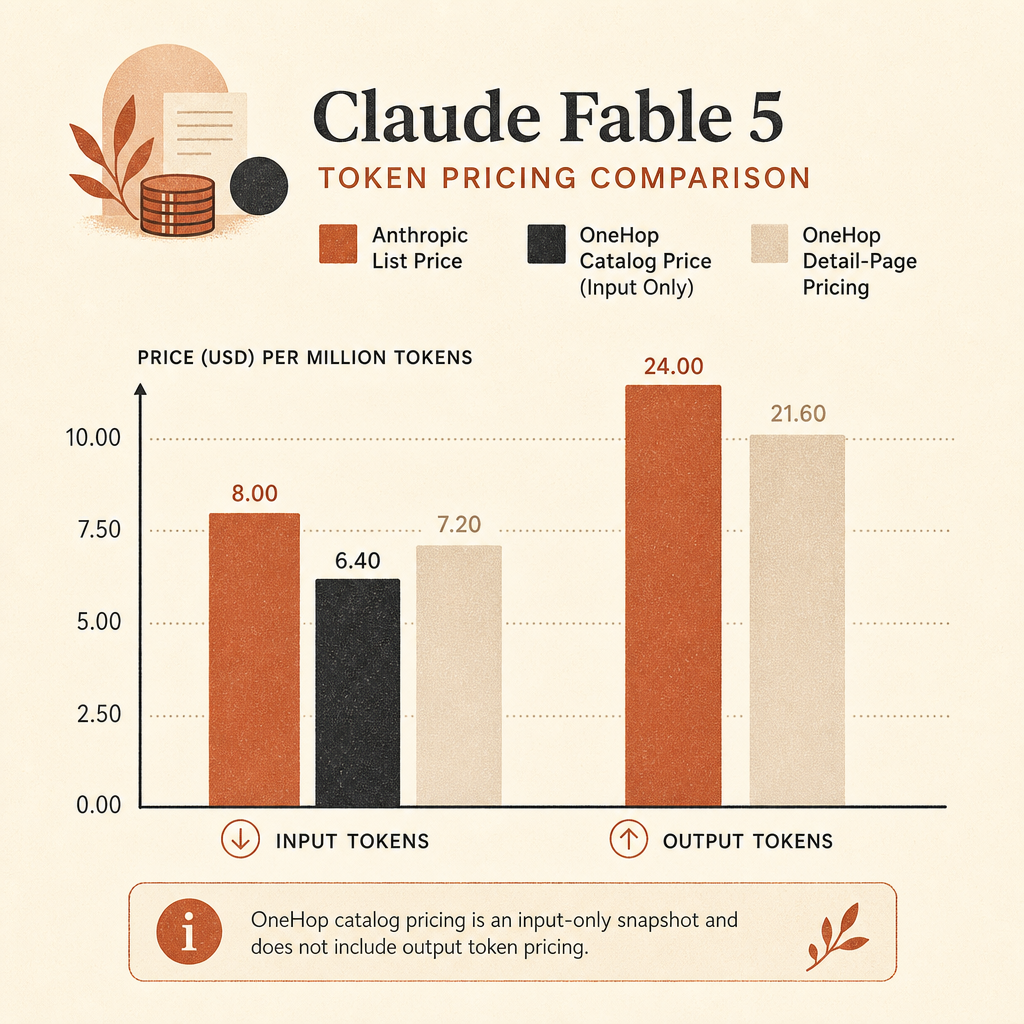
| Preço de tabela da Anthropic | US$ 10/M entrada, US$ 50/M saída |
| Preço no catálogo da OneHop | US$ 7/M entrada, listado como “Save 30%” |
| Preço na página de detalhes da OneHop | US$ 5/M entrada, US$ 25/M saída, “Verified 2026-06-10” |
Fontes: o catálogo de modelos da OneHop lista Claude Fable 5 com contexto de 1M e $7.00/M, com “Save 30%” (OneHop models). A página de detalhes do Fable atualmente mostra $5.00/M para entrada e $25.00/M para saída, com leitura de cache a $0.500/M e escrita de cache a $6.25/M, verificado em 2026-06-10 (OneHop Fable 5).
Essa diferença vale ser destacada porque preços mudam. A afirmação segura é: a OneHop está anunciando Claude Fable 5 abaixo do preço de tabela da Anthropic, com pelo menos 30% de desconto mostrado no catálogo de modelos ao vivo. Confira a página do modelo antes de colocar uma premissa de preço em produção.
A OneHop também oferece US$ 10 em crédito grátis para novas contas, sem cartão, na página do Fable (OneHop Fable 5). Se você só quer fazer um smoke test da integração, comece em Claude Fable 5 on OneHop ou start with $10 free.
A Configuração Anthropic SDK sem Refatoração
Instale o Anthropic Python SDK oficial:
python -m venv .venv
source .venv/bin/activate
pip install anthropic
Configure sua chave da OneHop:
export ONEHOP_API_KEY="oh_your_key_here"Agora use o mesmo formato do Anthropic SDK que você já usa. A linha importante é base_url.
import os
from anthropic import Anthropic

client = Anthropic(
    api_key=os.environ["ONEHOP_API_KEY"],
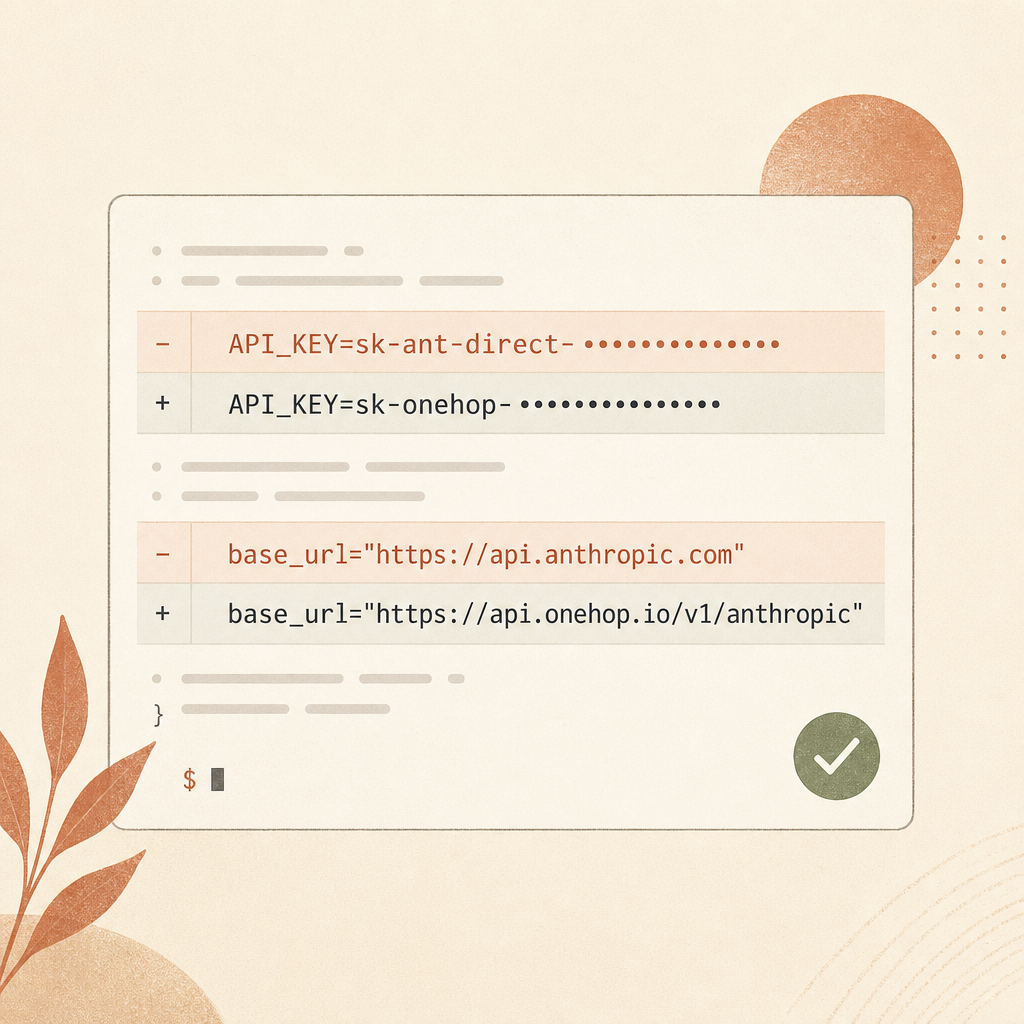
    base_url="https://api.onehop.ai/anthropic",
)

message = client.messages.create(
    model="anthropic/claude-fable-5",
    max_tokens=800,
    messages=[
        {
            "role": "user",
            "content": (
                "You are reviewing a Python web service. "
                "List the three highest-risk failure modes in its request pipeline "
                "and give one concrete test for each."
            ),
        }
    ],
)

print(message.content[0].text)
Esse é o caminho real do Anthropic SDK mostrado na página da OneHop para Claude Fable 5: https://api.onehop.ai/anthropic para suporte a streaming no Anthropic Messages (OneHop Fable 5). A base URL geral compatível com OpenAI da OneHop é https://api.onehop.ai/v1 (OneHop), mas para o Anthropic Python SDK, use a base URL compatível com Anthropic acima. Misturar as duas é o caminho mais rápido para receber um 404 confuso.
Se seu código atual lê configuração do ambiente, a migração fica ainda menor:
client = Anthropic(
    api_key=os.environ["ANTHROPIC_API_KEY"],
    base_url=os.environ.get("ANTHROPIC_BASE_URL", "https://api.anthropic.com"),
)
Então rode pela OneHop assim:
export ANTHROPIC_API_KEY="$ONEHOP_API_KEY"
export ANTHROPIC_BASE_URL="https://api.onehop.ai/anthropic"
Seus pontos de chamada continuam sem graça:
client.messages.create(
    model="anthropic/claude-fable-5",
    max_tokens=1024,
    messages=[{"role": "user", "content": "Refactor this API design for lower latency."}],
)
O Anthropic SDK oficial suporta messages.create, streaming, relatório de uso de tokens, retries e orientação para requisições longas na documentação do Python SDK (Anthropic docs). A OneHop é útil aqui porque você não está substituindo essa superfície. Você está mudando onde a requisição HTTP pousa.
Quando um Gateway Ajuda, e Quando Não Ajuda
Use a OneHop para Fable 5 quando velocidade de adoção importa. Se seu produto já tem uma abstração Anthropic, o acesso via gateway permite testar Fable atrás de uma feature flag sem mexer na lógica de negócio. Você pode rotear só os casos difíceis: migrações de código em múltiplos arquivos, análise de contexto longo, escalações caras de clientes, tarefas de planejamento que queimam horas humanas.
Também ajuda quando seu time está lidando com mais de uma família de modelos. A página de modelos da OneHop lista Anthropic, OpenAI, Google, DeepSeek, MiniMax e outros em um único catálogo (OneHop models). Isso importa em produção porque a escolha de modelo deixa de ser um debate filosófico e vira uma política: modelo barato para classificação, modelo intermediário para rascunhos, Fable 5 para tarefas em que a falha custa mais que os tokens.
Não use um gateway como forma de evitar entender o comportamento do modelo. Fable 5 tem comportamento de fallback por segurança. Ele tem retenção de dados por 30 dias para monitoramento de segurança, segundo a página do Fable da Anthropic (Anthropic). Ele é caro o bastante para loops de agentes sem limite doerem. Você ainda precisa de logs de requisição, limites de orçamento, prompt caching para contexto repetido e regras claras de roteamento.
Uma política inicial sensata fica assim:
| Carga de trabalho | Rota sugerida |
|---|---|
| Classificação, extração, transformações curtas em JSON | modelo rápido e mais barato |
| Explicação normal de código ou rascunho de docs | rota Sonnet/Opus-class |
| Migração de repo em várias etapas ou debugging difícil | Claude Fable 5 |
| Prompts sensíveis de segurança, biologia, química | espere o comportamento de fallback da Anthropic |
| Prompts de sistema longos ou docs reutilizados | ative prompt caching onde houver suporte |
O ponto é tornar Fable intencional. Trate como o tempo de um engenheiro sênior: não gaste em todo ticket, mas não hesite quando o trabalho for realmente difícil.
Faça a Menor Migração Possível
Para um rollout em produção, eu faria a troca para o gateway como mudança de configuração, não como fork de código.
Adicione três variáveis de ambiente:
export ANTHROPIC_API_KEY="$ONEHOP_API_KEY"
export ANTHROPIC_BASE_URL="https://api.onehop.ai/anthropic"
export CLAUDE_MODEL="anthropic/claude-fable-5"
Então conecte seu app a esses valores. Mantenha o endpoint direto da Anthropic como fallback em staging até comparar respostas, latência e custo nos seus próprios prompts. Benchmarks sintéticos ajudam; seus traces ajudam mais.
A proposta da OneHop é simples: chegar ao Claude Fable 5 e a outros modelos por um gateway, manter o SDK que você já conhece e pagar abaixo do preço de tabela enquanto testa. Para um time de desenvolvimento, esse é o tipo certo de coisa sem graça. Uma base URL na configuração, um nome de modelo, um smoke test.
Comece pela página do modelo aqui: Claude Fable 5 on OneHop. Se você só quer rodar o código acima sem abrir uma discussão de cobrança, start with $10 free.