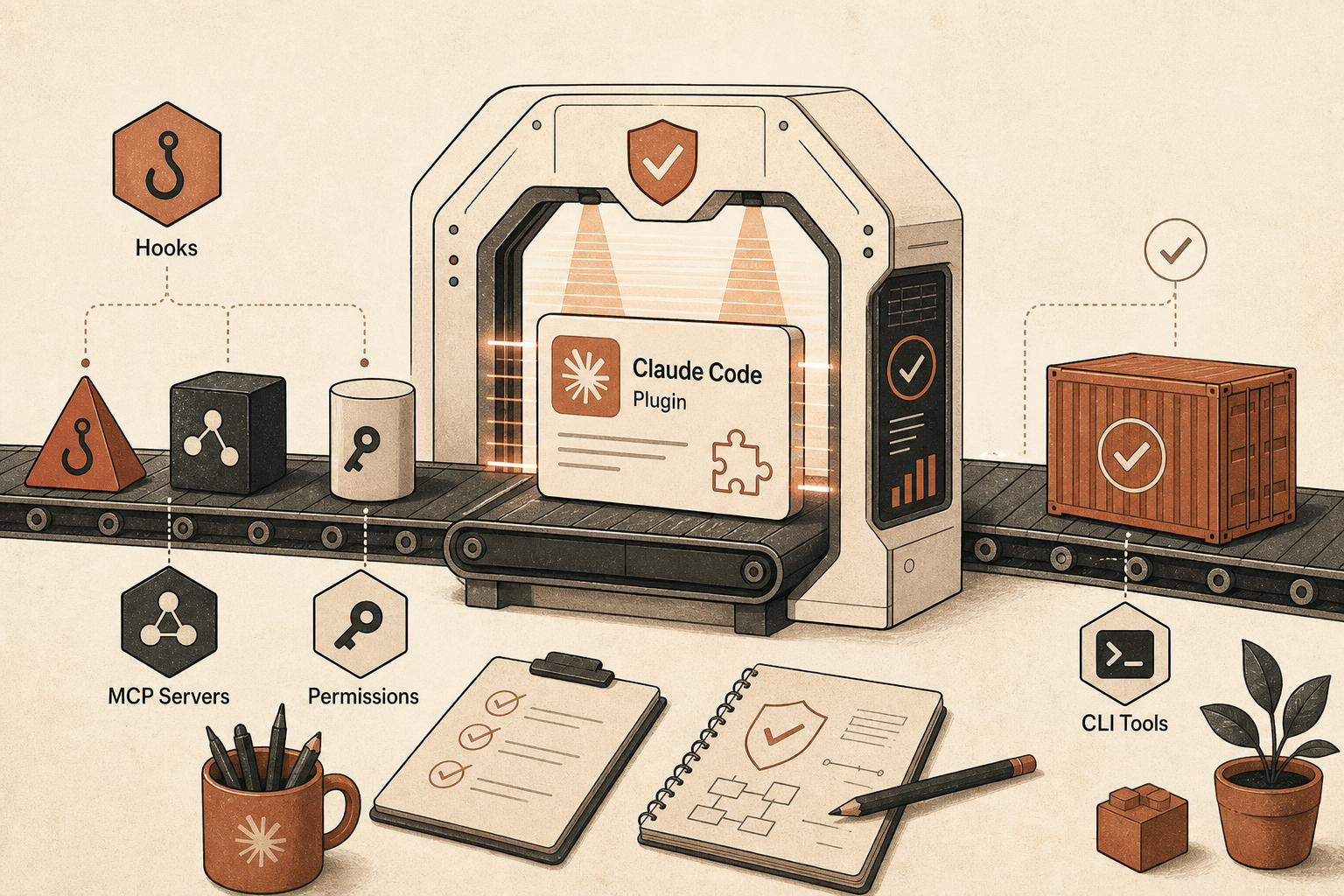
Anthropic’s official Claude Code plugin marketplace is no longer a rumor buried in config folders. The public GitHub repo, anthropics/claude-plugins-official, has more than 30,000 stars as of June 17, 2026, and its README describes a curated directory with internal Anthropic plugins plus third-party entries. The same README also carries the line that should set your posture: “Make sure you trust a plugin before installing, updating, or using it” because Anthropic does not control every MCP server, file, or other bundled dependency in those plugins (GitHub).
That warning is not legal boilerplate. A Claude Code plugin can bundle slash commands, skills, agents, hooks, MCP servers, LSP servers, executables, and settings. In plain developer terms: it can add prompt context, start local processes, call remote services, run shell hooks on lifecycle events, and expose new tools to the model.
The right mental model is not “install an editor theme.” It is “add a dependency that can execute code near my source tree.”
The Marketplace Is Real, But “Official” Does Not Mean “Blindly Safe”
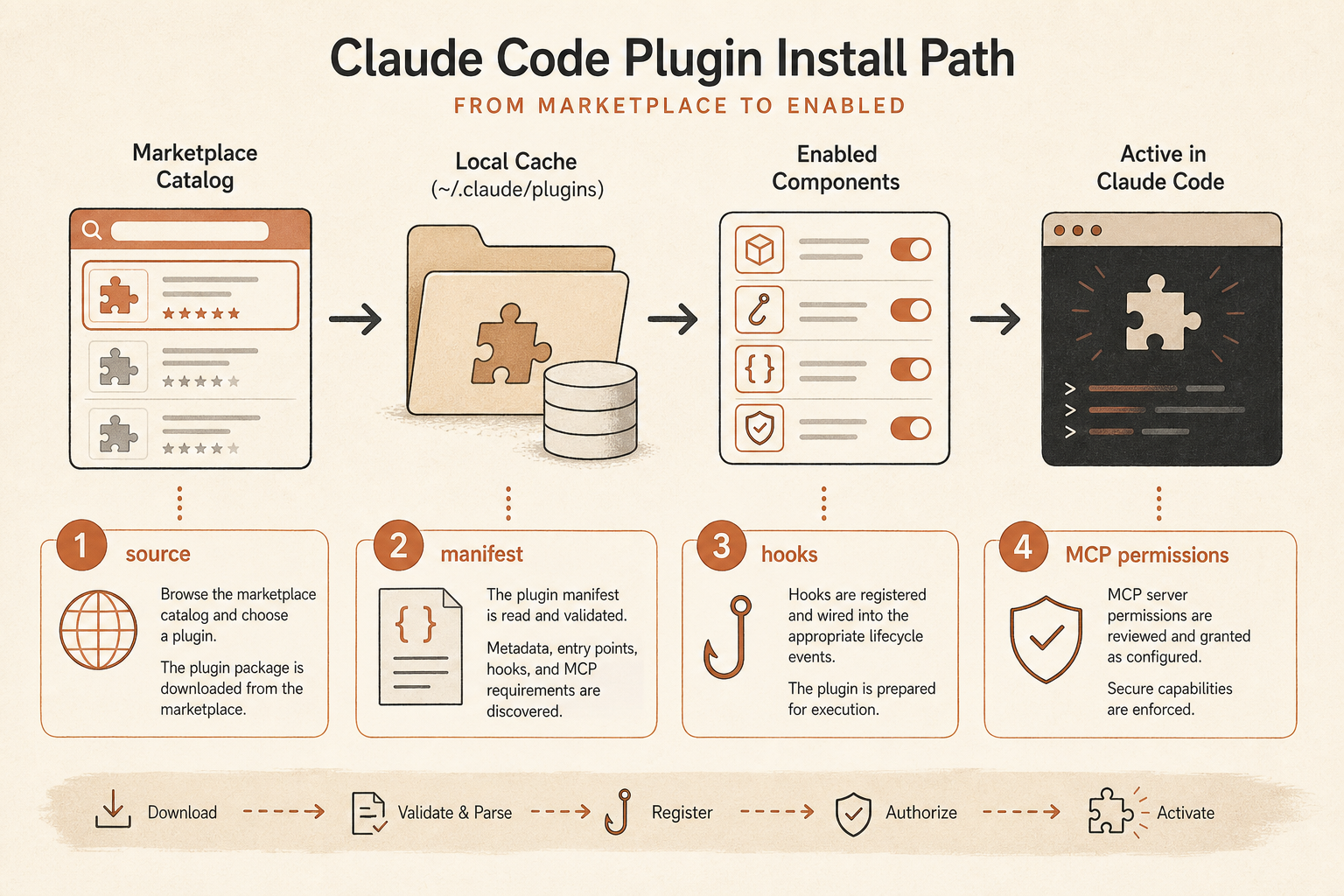
Anthropic announced Claude Code plugins on October 9, 2025, describing them as collections of slash commands, agents, MCP servers, and hooks installable with /plugin (Claude blog). The current Claude Code docs say the official Anthropic marketplace, claude-plugins-official, is automatically available when Claude Code starts, and that you can install a plugin with:
/plugin install github@claude-plugins-officialIf the plugin is missing, the docs tell you to refresh the marketplace with:
/plugin marketplace update claude-plugins-officialor add it with:
/plugin marketplace add anthropics/claude-plugins-officialThat is the official happy path (Claude Code docs). It is useful. It is also incomplete as an operational policy.
The official repo’s marketplace file points to a mix of local plugin directories and external sources pinned by commit SHA. For example, entries can reference GitHub repositories, subdirectories, refs, and SHAs in .claude-plugin/marketplace.json (raw marketplace file). Pinning helps, but it does not remove the need to inspect what the pinned code does. A plugin may still launch a server, ask for credentials, run hooks, or depend on a binary that changes behavior outside the marketplace manifest.
The community has noticed the same thing. In a recent r/ClaudeAI thread asking for important Claude Code plugins, one reply recommended CLAUDE.md and hooks first, then only project-specific MCP servers. Another warned not to “throw random connectors” at Claude Code because they cost tokens and can cause context pollution (Reddit). That is the practical debate now: plugins are powerful, but every extra capability has a cost surface.
Start With the Manifest, Then Read the Repo
Your first audit target is the plugin source. Do not install from search snippets, blog copy-paste commands, or random marketplace aggregators until you can trace the source back to a repo and manifest.
In the official marketplace repo, check:
- The marketplace entry in
.claude-plugin/marketplace.json - The
sourcetype, URL, path, ref, and SHA - The plugin’s
.claude-plugin/plugin.json, if present - Any
.mcp.json,.lsp.json,hooks/hooks.json,commands/,skills/,agents/,bin/, and scripts
Anthropic’s plugin reference lists the core component paths. Hooks live in hooks/hooks.json, MCP servers can live in .mcp.json, executables can live in bin/, and plugin manifests can point to custom component locations (Claude Code plugin reference). That means “I checked plugin.json” is not enough. A plugin can rely on default discovery paths.
A fast manual review looks like this:
git clone https://github.com/OWNER/PLUGIN-REPO /tmp/plugin-audit
cd /tmp/plugin-audit

find . -maxdepth 3 \( \
  -name plugin.json -o \
  -name hooks.json -o \
  -name .mcp.json -o \
  -name .lsp.json -o \
  -path "*/bin/*" -o \
  -path "*/scripts/*" \
\) -print

rg -n "curl|wget|bash|sh -c|chmod|open |xdg-open|osascript|token|api_key|secret|eval|exec|spawn|subprocess"
That rg command is blunt, but blunt is good here. You are looking for install-time surprises, shell execution, browser launches, remote downloads, credential handling, and scripts that mutate your repo or home directory.
My rule: if a plugin needs a shell script to do its core job, I want to understand every command in that script before install. If it downloads another artifact at runtime, I treat the runtime artifact as part of the plugin.
MCP Servers Are the Most Expensive “Convenience”
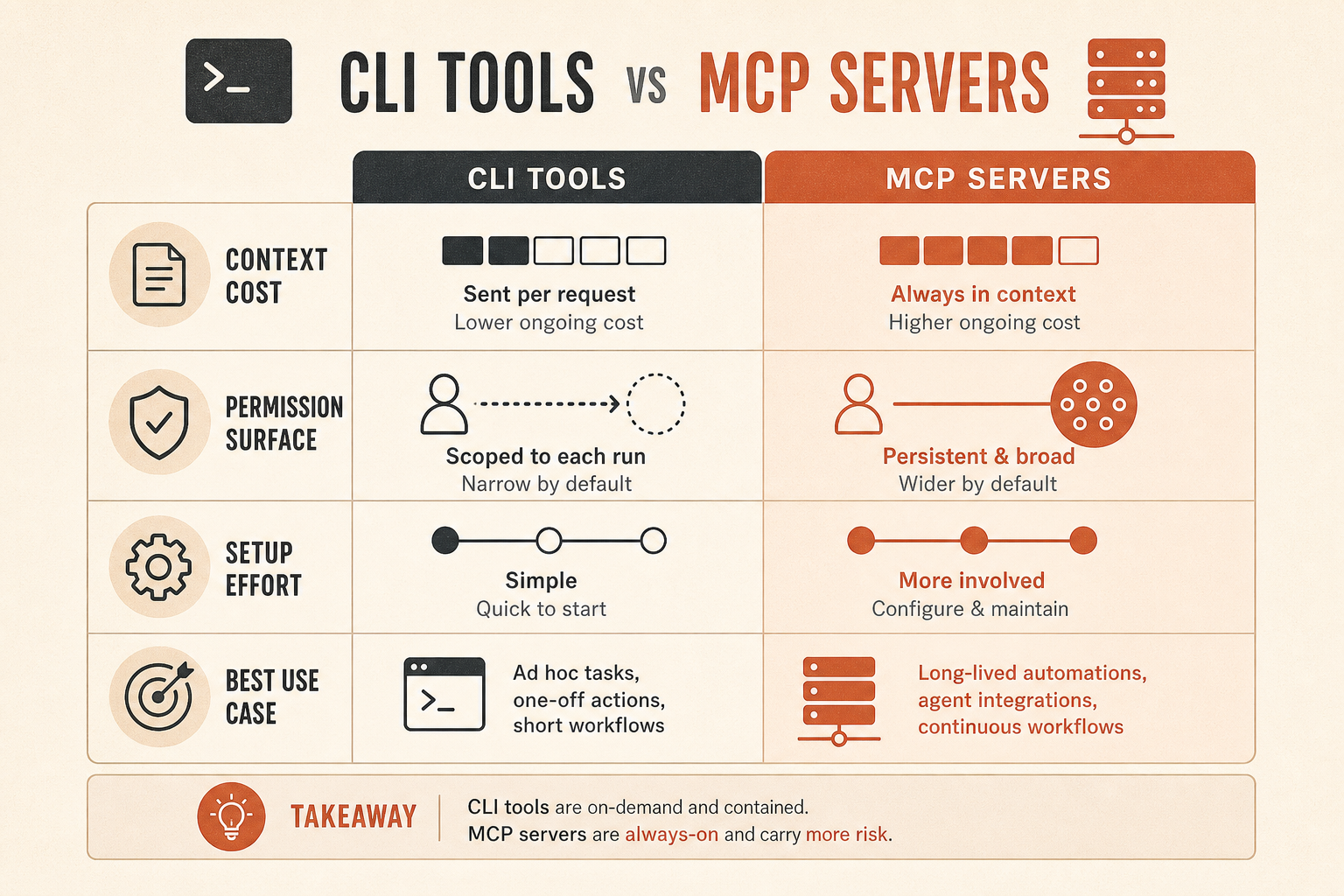
MCP is where plugin convenience can turn into hidden cost. Anthropic’s MCP docs say plugin-defined MCP servers start automatically when the plugin is enabled, and plugin MCP tools appear alongside manually configured MCP tools (Claude Code MCP docs). The docs also say plugin MCP servers use the same environment variables as manually configured servers, which matters if your shell exports cloud tokens, database URLs, or internal service credentials.
The community complaint is specific: MCP tool schemas can eat context before you call a tool. In an r/ClaudeCode token-overhead thread, users pointed to disabled plugins and the absence of heavy MCP servers as a likely reason for lower token burn, and one commenter called MCP tool schemas “a huge hidden cost” (Reddit). In another thread, a commenter claimed connected MCP servers register tool schemas into context and recommended pruning servers per session (Reddit).
Treat exact token estimates from Reddit as anecdotal unless you reproduce them in your own setup. The underlying direction is still right: an always-on server with many verbose tools is not free.
Use this decision table before installing a connector-style plugin:
| Need | Safer default | Use MCP when |
|---|---|---|
| Run GitHub operations | gh CLI via Bash | Claude must browse issues, PRs, and metadata interactively |
| Query a database | Read-only CLI or local script | Claude needs structured tool calls with scoped credentials |
| Inspect cloud resources | Vendor CLI with explicit commands | The MCP server has narrow permissions and clear audit logs |
| Fetch docs | Static docs, repo files, or web links | Resources are large, dynamic, and frequently referenced |
| Enforce policy | PreToolUse hook | The decision needs Claude-visible context or tool metadata |
A CLI tool is often safer because it is invoked only when needed and produces output only for that turn. MCP can be safer when it gives you scoped OAuth, typed tools, and audit logs. The mistake is installing MCP as a reflex.
Hooks Deserve Their Own Security Review
Hooks are the feature that makes plugins feel magical. They are also the feature I audit hardest.
Claude Code hooks can run on events such as SessionStart, UserPromptSubmit, PreToolUse, PostToolUse, PreCompact, and SessionEnd. The plugin reference says hook types include command hooks, HTTP hooks, MCP tool hooks, prompt hooks, and agent hooks (Claude Code plugin reference). The hooks guide explains that a PreToolUse hook can block an action by exiting with code 2, while UserPromptSubmit, UserPromptExpansion, and SessionStart stdout can be added to Claude’s context (Claude Code hooks guide).
That is a lot of power.
A good hook blocks dangerous behavior or adds compact, deterministic context. A bad hook turns every prompt into an expensive RAG pipeline, leaks prompt text to an HTTP endpoint, or silently changes your environment.
Audit hooks with four questions:
- What event fires it?
- What matcher limits it?
- What data does it receive?
- What does it write to stdout, stderr, disk, network, or context?
The community is split here in a useful way. In an r/ClaudeCode hooks thread, some developers describe hooks as the only reliable way to enforce rules, block bad git actions, or remind Claude to write memory. Others are building elaborate memory and RAG flows on UserPromptSubmit (Reddit). Both can be valid. The difference is budget and blast radius.
For team installs, I would allow policy hooks earlier than context-injection hooks. A PreToolUse hook that blocks rm -rf patterns is easy to reason about. A UserPromptSubmit hook that fetches and injects memory every turn needs measurements, caps, and clear ownership.
Install Narrowly, Measure, Then Promote
Claude Code supports user, project, local, and managed plugin scopes. The docs describe user scope as personal across projects, project scope as shared through .claude/settings.json, and local scope as project-specific but not shared (Claude Code docs).
Use those scopes as a rollout mechanism:
- Install locally first.
- Run one real task.
- Check
/plugindetails and/mcp. - Use
/contextand/usagebefore and after. - Disable anything that does not pay rent.
- Promote to project scope only after review.
The docs now say the plugin details pane can show context cost estimates in Claude Code v2.1.143 and later, last updated dates in v2.1.144 and later, and a “Will install” inventory in v2.1.145 and later (Claude Code docs). Use that inventory before you press install. If a plugin claims to be a formatter but installs an MCP server, a hook, and a background monitor, stop and inspect.
Also pay attention to auto-updates. Anthropic says official marketplaces have auto-update enabled by default, while third-party and local marketplaces are disabled by default. The docs also describe DISABLE_AUTOUPDATER and FORCE_AUTOUPDATE_PLUGINS for controlling update behavior (Claude Code docs). Auto-update is convenient for security fixes, but it changes your runtime supply chain. For regulated teams, pin marketplace versions in a reviewed internal marketplace instead of letting every laptop drift independently.
The Checklist I Use Before Installing
Here is the short version I would give to any developer on a team using Claude Code.
Source:
- Is the marketplace
anthropics/claude-plugins-official, an internal repo, or a third-party repo? - Is the plugin source pinned to a SHA?
- Does the homepage match the source owner?
- Does the repo have recent unexpected changes, generated blobs, or install scripts?
Components:
- Does it add MCP servers?
- Does it add hooks?
- Does it add executables in
bin/? - Does it add agents that can call tools?
- Does it add LSP servers that require local binaries?
Permissions:
- What credentials does it request?
- Are sensitive values stored via plugin
userConfigas sensitive fields? - Does the MCP server get read-only or write access?
- Does a hook phone home over HTTP?
- Does any script inherit broad environment variables?
Cost:
- What does
/pluginreport as context cost? - What changes in
/contextafter enabling it? - Does the plugin add value every session, or only during rare workflows?
- Could a CLI command produce the same result with less persistent context?
Operations:
- Can you disable it cleanly with
/plugin disable name@marketplace? - Can you uninstall it cleanly?
- Does it leave config, credentials, daemons, caches, or browser auth behind?
- Who owns updates?
- What breaks if the plugin source disappears?
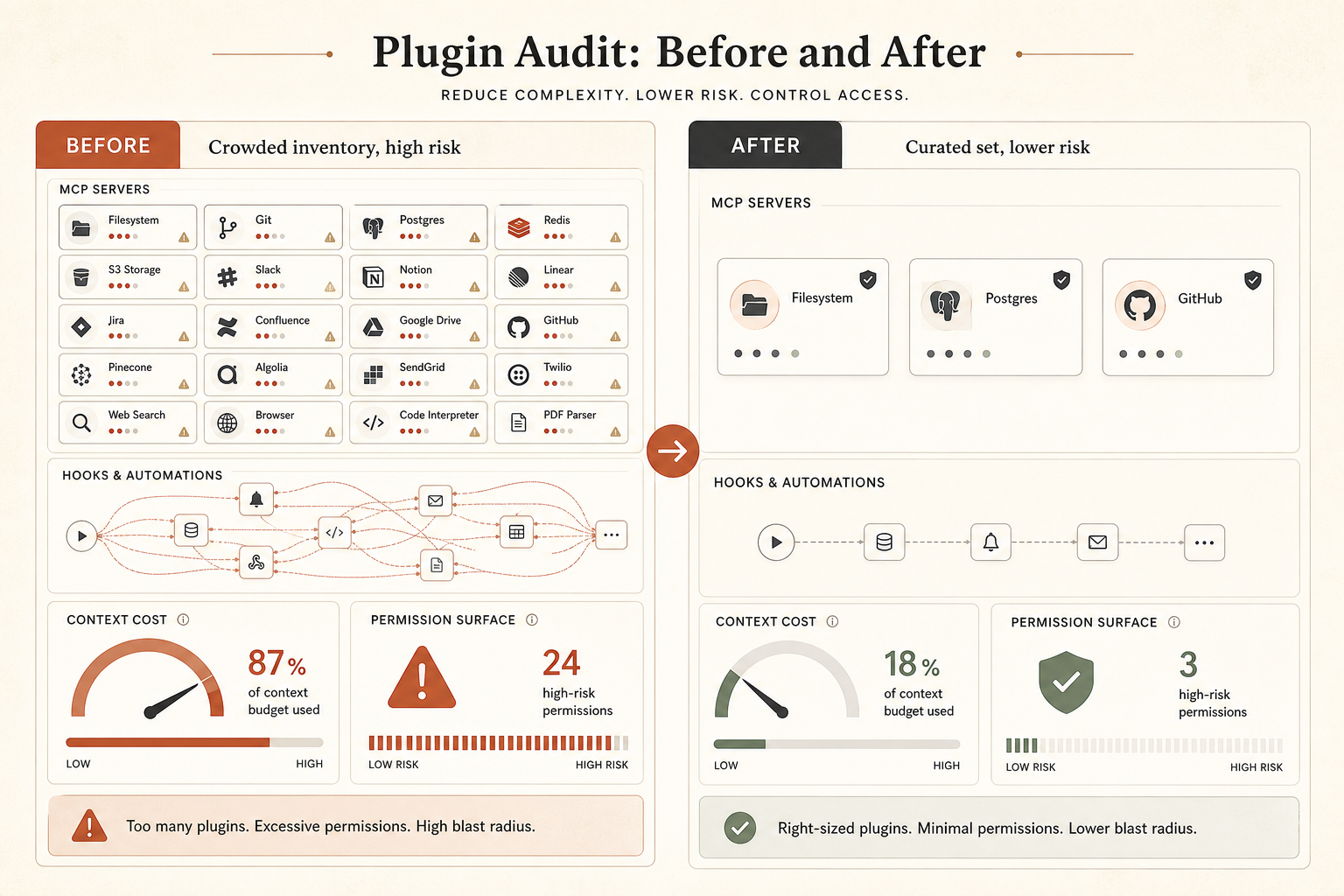
The opinionated answer: install fewer plugins than you want. Prefer small, boring plugins that add one workflow. Prefer CLIs for one-shot operations. Use MCP when the server is scoped, audited, and truly interactive. Use hooks for guardrails, not as a dumping ground for every preference you wish the model remembered.
Plugins are becoming Claude Code’s package format for workflows. That is good. It means teams can share repeatable setups instead of tribal prompt lore. But the package format is powerful enough to deserve dependency review, permission review, and cost review. If you would not curl | bash a tool into your repo without reading it, do not install the plugin version just because it appears in a friendly marketplace UI.
If you want to try Claude Fable 5.1 yourself, you can reach it through Claude Fable 5.1 on RouteMux — a drop-in endpoint at 72% below Anthropic’s official pricing. Add a balance and start calling it; whatever you don’t spend is refundable.
Further reading: Getting started with Claude Fable 5.